
Only the adults you choose can collect your child
Only adults the organiser has approved for that child, by name, can collect them — and Qlaim keeps a record that cannot be altered, not even by us.
Set up once, in four steps
Two of the steps are approvals, and both come from the organiser. Do all four before the day.
Create a Qlaim Member account
Your name, your email and a password, then open the link we email you.
Create my membership →Join the event with the organiser’s code
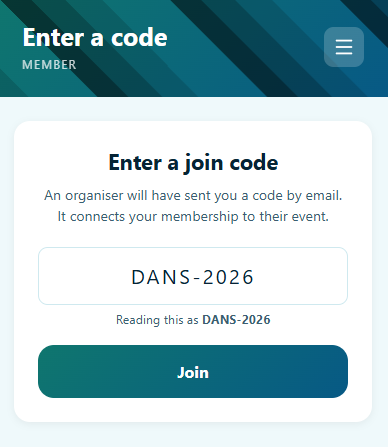
The organiser sends you a join code by email or WhatsApp. Type it in — joining on its own lets you collect nobody yet.
Ask to collect your child, by name
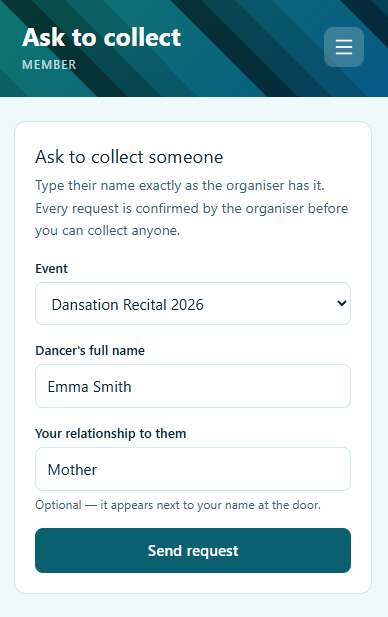
Type your child’s full name exactly as the organiser has it. You are never shown a list of the children.
The organiser approves you
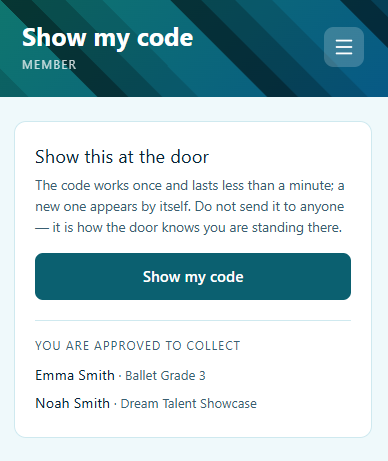
A person checks every request on purpose. Once approved, your child appears under “You are approved to collect”.
Just bring your phone
The chaperone at the door finds your child on the list and signs them in. You show nothing and scan nothing.
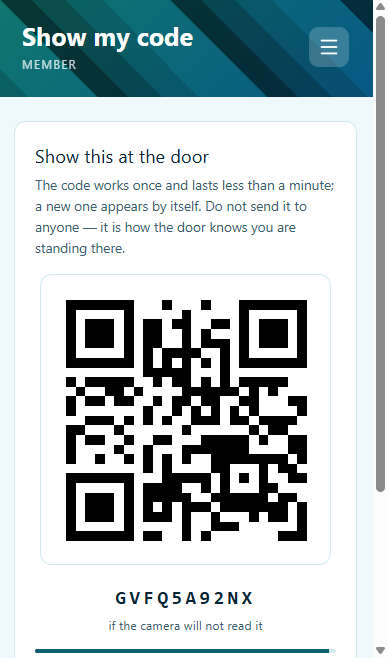
Tap “Show my code”. The chaperone scans it, sees which children you may collect, and signs your child out to you.
What protects your child
- Every adult is approved by the organiser for each child, by name. Being in the same family or household gives nobody collection rights.
- You are never shown a list of the children. Only an exact name finds your child — a guess finds nobody.
- The code at the door works once and lasts less than a minute. A screenshot sent to someone else is useless by the time they arrive.
- Approvals are checked at the moment of the scan. If the organiser withdraws an adult, the very next scan no longer offers them the child.
- Every sign-in, sign-out and refused handover is recorded, and the record cannot be changed or deleted — not by the organiser, and not by Qlaim.
- No photographs of children. Qlaim holds only the child’s name and the organiser’s own class or group.
The school gate works the same way
Qlaim Collect, the schools portal, uses the same pages: join, ask to collect, show your code. Joining a school is confirmed immediately, and a school can also name adults who may never collect a child — nobody at the gate can override that list.
What parents ask
Do I need to do this before the day?
Yes. The account, the join code, asking to collect, and the organiser’s approval all need to happen before collection.
My partner collects sometimes.
They create their own account and ask too. The organiser approves each of you.
I have two children at the event.
Ask once for each child.
It says it cannot find the name.
Check the spelling, or ask the organiser how your child is listed. Capitals and extra spaces do not matter, but the name must match exactly. If two children share it, add the class or group.
Gran collects and has no smartphone.
Ask the organiser to add her by name. She shows no code — the chaperone finds her name on your child’s list and checks who she is in person.
What if my phone dies?
The chaperone can still hand your child over to you in person, recording who took the child and why. Bring your phone charged anyway.
We are one household in Qlaim. Is that enough?
No. A household shares a view, not collection rights. Every adult is approved separately by the organiser, for each child by name.
Is my child’s information safe?
The organiser holds the consent; Qlaim keeps only the name and class, no photos; nobody is shown a list of the children; and the record of handovers cannot be altered, even by us.
Ready to set it up?
Create your membership, then enter the join code the organiser sent you.